Set up your workspace
The screenshots show the English staging interface captured on November 14, 2026. Plan availability and amounts can change. Review your checkout summary before paying.
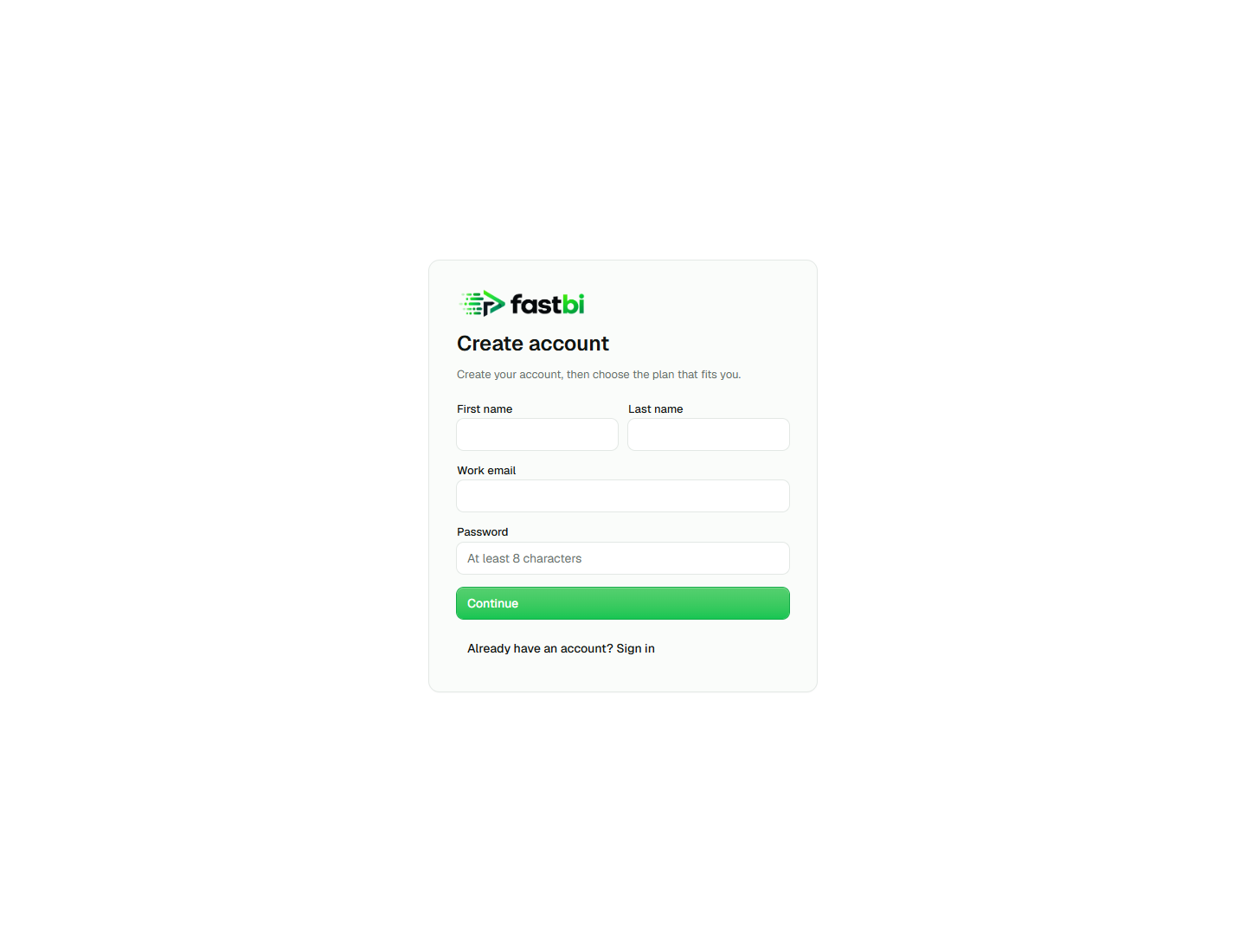
1. Create your account
Section titled “1. Create your account”Open FastBI. Enter your name, work email, and password, then select Continue. Complete the security challenge if one appears.
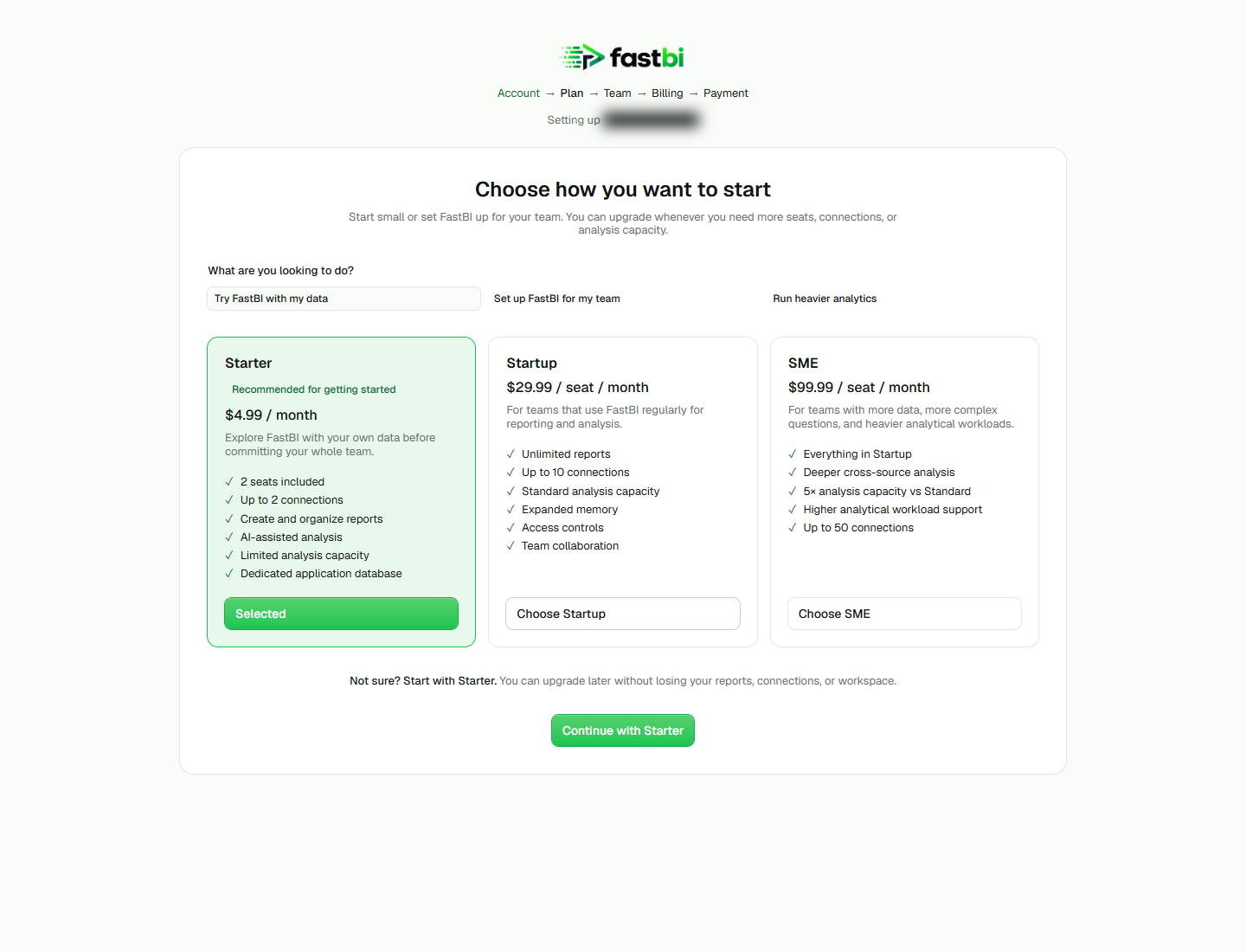
2. Choose a plan
Section titled “2. Choose a plan”Choose the plan that fits your seats, connections, and analysis needs. The example shows Starter. Select Continue with Starter to continue.
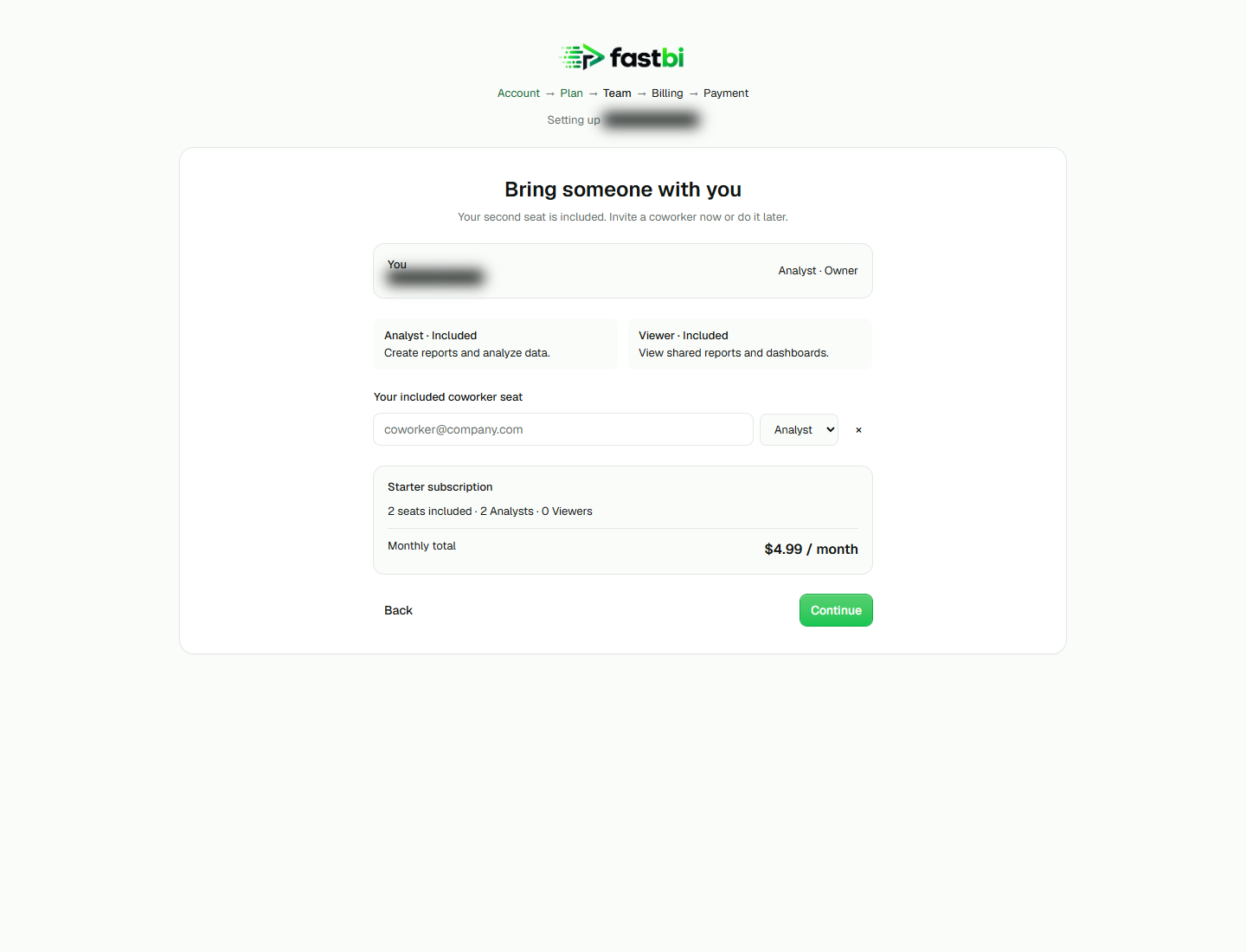
3. Set up your team and usage
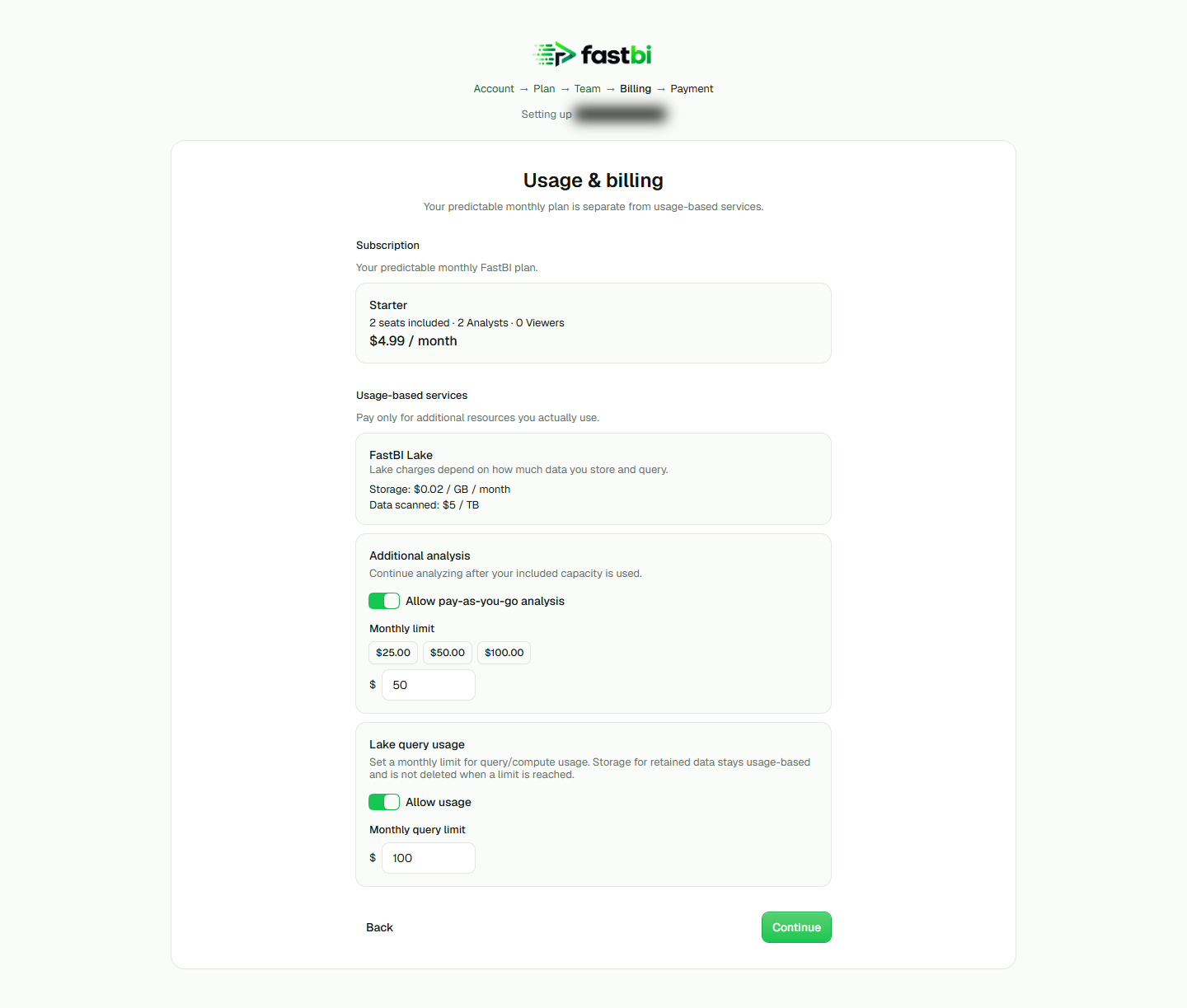
Section titled “3. Set up your team and usage”The Team screen lets you invite a coworker and choose an Analyst or Viewer seat. You can leave the invitation blank and continue. In Usage & billing, review additional analysis, Lake storage, and query charges. Set usage permissions and monthly limits before continuing. Query limits do not cap retained-data storage charges.
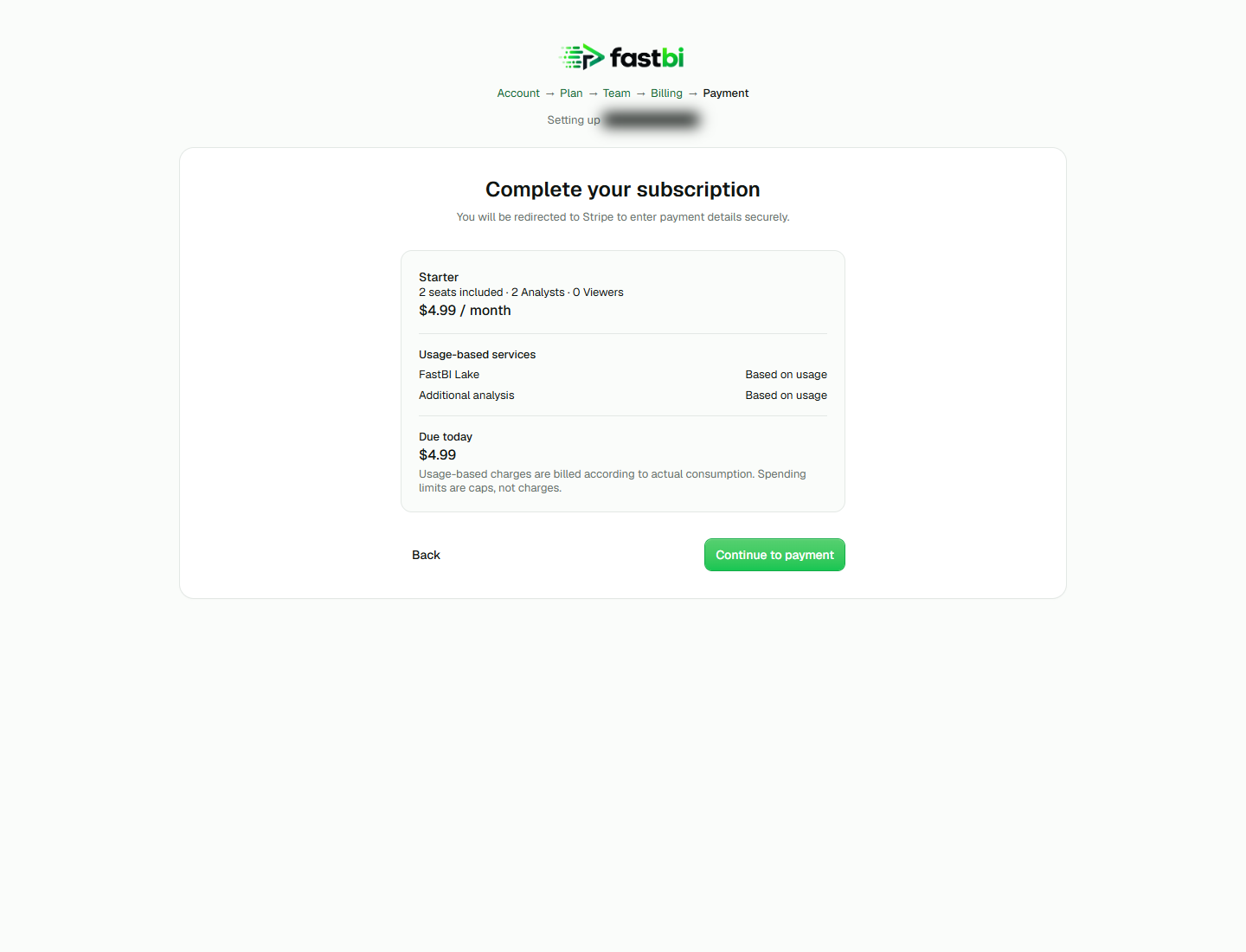
4. Review payment
Section titled “4. Review payment”Check the plan, seats, monthly total, and amount due today. Continue to payment opens Stripe Checkout. If you return while setup is pending, use Check again to refresh the subscription status. Once your workspace is active, connect a source or explore your workspace.